Framework
Single-Login AI Tools vs a Real Access Model for Content Teams

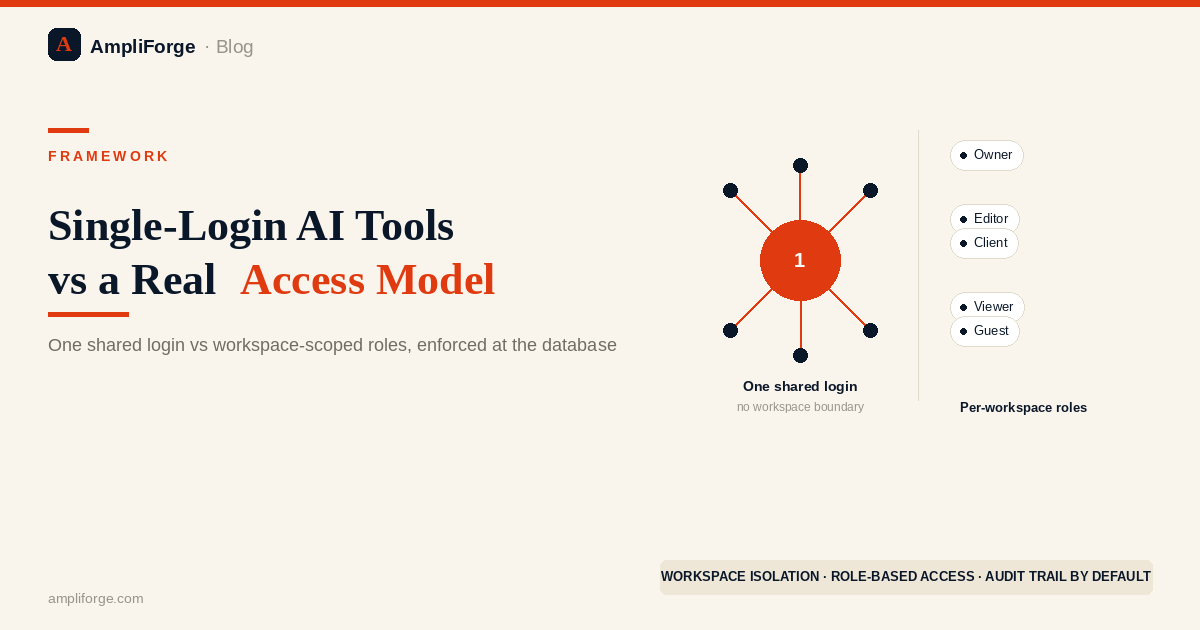
An access model needs authentication, authorization, and isolation — not just a login. Most single-purpose AI content tools only have the first. That works until a second person needs the account, at which point sharing the login is the only option, because there's no workspace boundary to grant partial access within.
An access model needs three things: authentication (who you are), authorization (what you're allowed to do), and isolation (what you structurally cannot see) — most single-purpose AI content tools only have the first. That works for exactly one user and stops working the moment a second person needs the same account, because there's no boundary to grant them partial access within.
What actually counts as an access model in software?
Authentication alone — a login screen — is not an access model; a real one adds authorization and isolation on top of it. A login confirms who's asking, the same way a locked front door confirms someone has a key. It says nothing about what that identity is allowed to do, or what it's structurally prevented from seeing. Tools built quickly around a single-user assumption typically stop at the login layer — not from a deliberate security decision, but because a login is enough to make a demo work, and a demo is usually the whole spec.
Why does a single-user design work fine — until it doesn't?
The gap between "has a login" and "has an access model" is invisible for a single user, because there's only one identity in the system for authorization and isolation to differentiate. The design looks complete because nothing has tested the parts that are missing. That's exactly the condition under which the gap survives for months — not because it was solved, but because it was never asked to do a job it doesn't have.
What happens when a second person needs the same account?
With no workspace concept, there are exactly two options: share the one login and expose everything ever generated under it, or grant no access at all. The test arrives the first time a business outgrows one person touching the tool — a virtual assistant, a business partner, a client wanting visibility into their own project. Neither option is a real answer. The first is a data exposure decided by default rather than design; the second means the tool simply can't grow with the business using it.
How does workspace isolation actually solve this?
Isolation has to be enforced at the database layer, not the interface — a workspace boundary means a query for one client's content is structurally incapable of returning another's, regardless of what the UI shows. That's a different guarantee than "the interface doesn't link to it." One is a property of the data model. The other holds only until someone finds the request the UI wasn't supposed to expose.
| Access model dimension | Single-login tool | Workspace-based content operating system |
|---|---|---|
| Adding a team member | Share the one existing login | Invite to a specific workspace with a defined role |
| Client data separation | None — one shared history for the whole account | Each workspace's content is structurally invisible to others, enforced at the database level |
| Who can see past generations | Anyone holding the login | Only members of that specific workspace |
| Audit trail | Not tracked — one identity, no distinction between users | Actions attributable to the workspace member who took them |
| Removing access | Change the shared password for everyone | Remove one member without affecting anyone else |
The access-model test before you scale past one user
Three questions determine whether a tool has an access model or just a login: Can a second person get access without seeing everything the first person produced? Can one person's access be removed without resetting it for everyone else? Is there a record of which team member took which action? If any answer is no, the tool was built for a single user and is being stretched past its design, not extended within it.
AmpliForge is built workspace-first, not single-user-first with sharing bolted on — a team of two or a client roster of twenty each gets a boundary enforced at the database layer, not a shared password and good intentions. See how this fits into a full content operating system, or compare it against a stack of single-purpose tools.
Frequently asked questions
What's the difference between a login and an access model?
A login only authenticates — it confirms an identity. A full access model also needs authorization (what that identity can do) and isolation (what it structurally cannot see). Most single-purpose AI tools have only the first.
Why is a single shared account risky for a growing team or agency?
With no workspace boundary, adding a second person means sharing the one existing login — which gives them full visibility into everything already produced under that account, including other clients' content.
How does workspace-level isolation prevent data leaks between clients?
Isolation enforced at the database level means a query scoped to one workspace cannot structurally return another workspace's content, regardless of what the interface shows — unlike UI-level hiding, which only holds until someone finds the request it wasn't meant to expose.
Ralf Paschen
Founder, AmpliForge GmbH
Ralf Paschen is the founder of AmpliForge GmbH, the software company behind the AmpliForge platform. During three CMO appointments across enterprise B2B SaaS organizations, he encountered the same recurring problem: strong content was created once and then left underused, repeatedly rebuilt from scratch rather than repurposed across channels and formats. That gap became the founding premise for AmpliForge. Before founding the company, Ralf spent more than 20 years in enterprise software go-to-market roles across the US, EMEA, and DACH markets, including senior positions at Broadcom, CA Technologies, Automic, and Novell. His track record includes 25% revenue growth and 30% pipeline growth at Broadcom, 60% of marketing-sourced pipeline at xtype, and an earlier 300% increase in lead generation at an enterprise software business. Ralf holds an MIT Professional Education certification in Designing and Building AI Products and Services, which informs AmpliForge's approach to applying artificial intelligence to content repurposing at scale. He is the author of Stop Prompting, available on Amazon.